
This article describes how to set up monitoring of your NetApp with Opvizor/Cloud
Credentials
To enable the monitoring we need to setup user account and appropriate access rights. While admin account would work fine we recommend to follow the least privilege principle and configure a separate user account for Opvizor/Cloud.
Using Web Interface
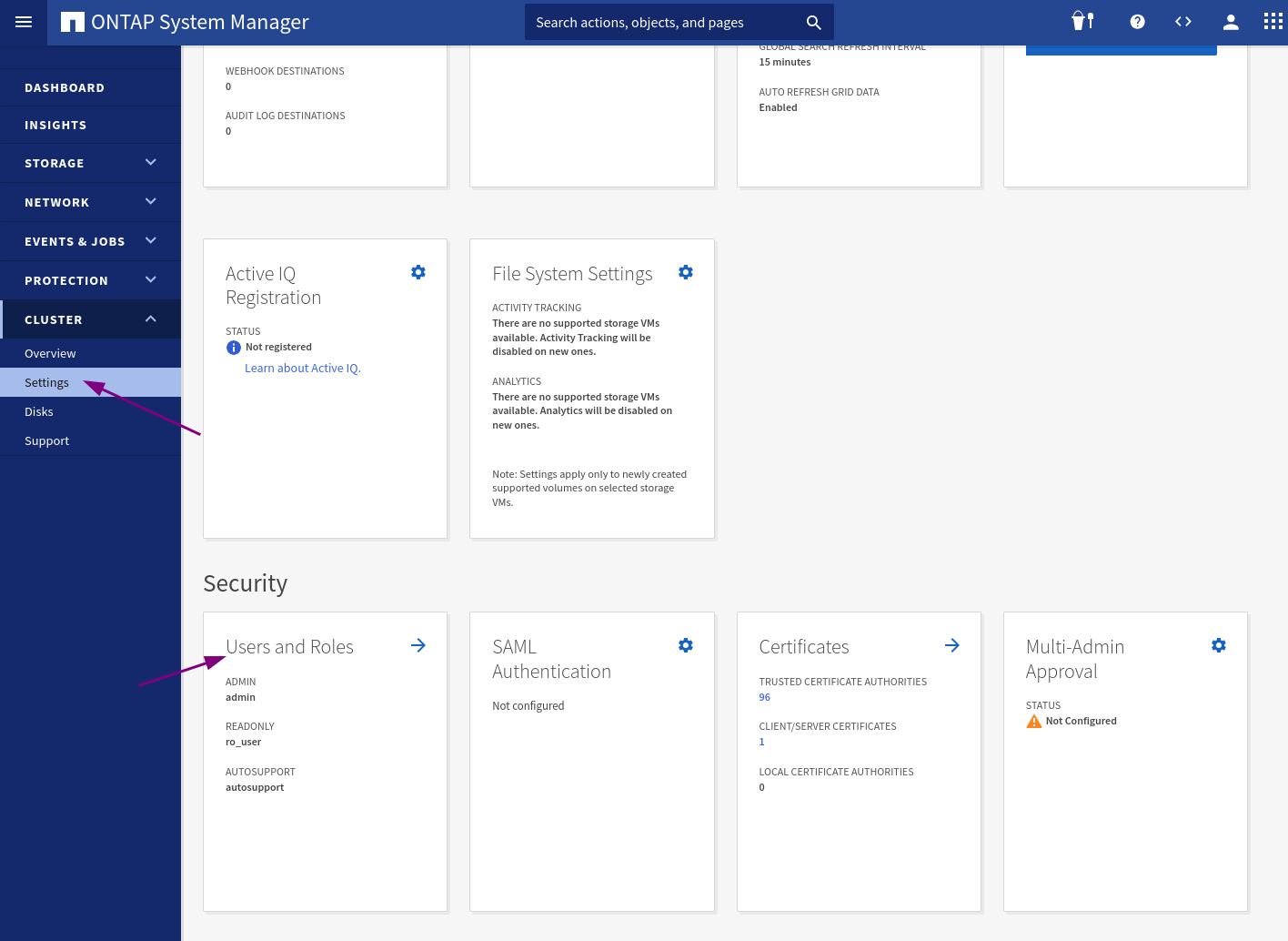
1. Go to your NetApp administration page and navigate to Users and Roles
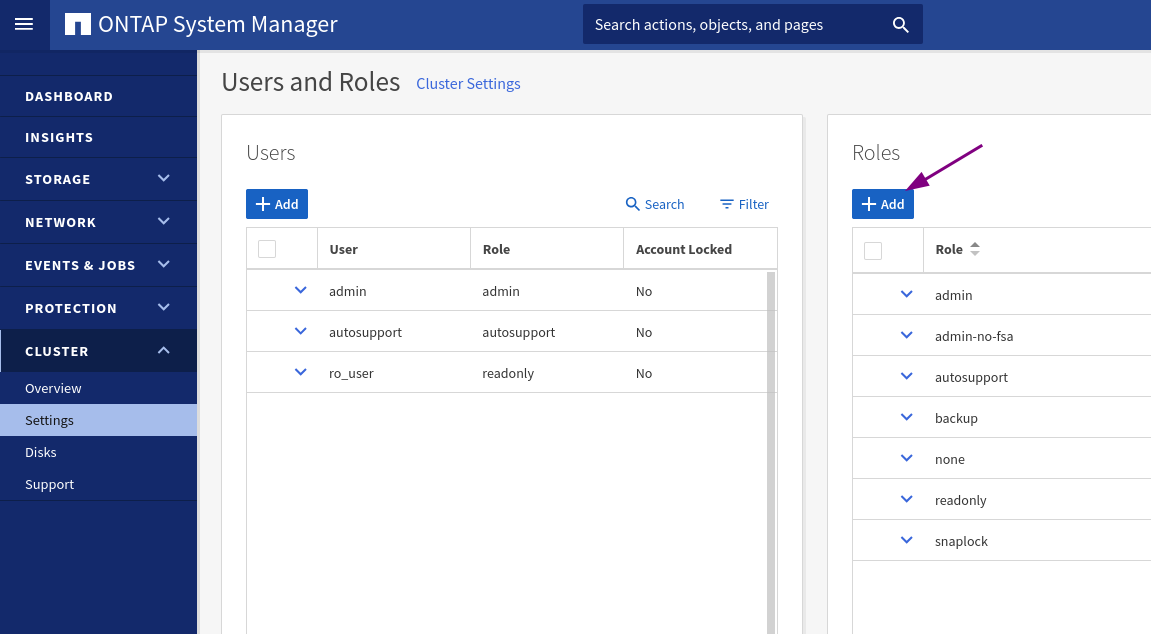
2. Create a new role
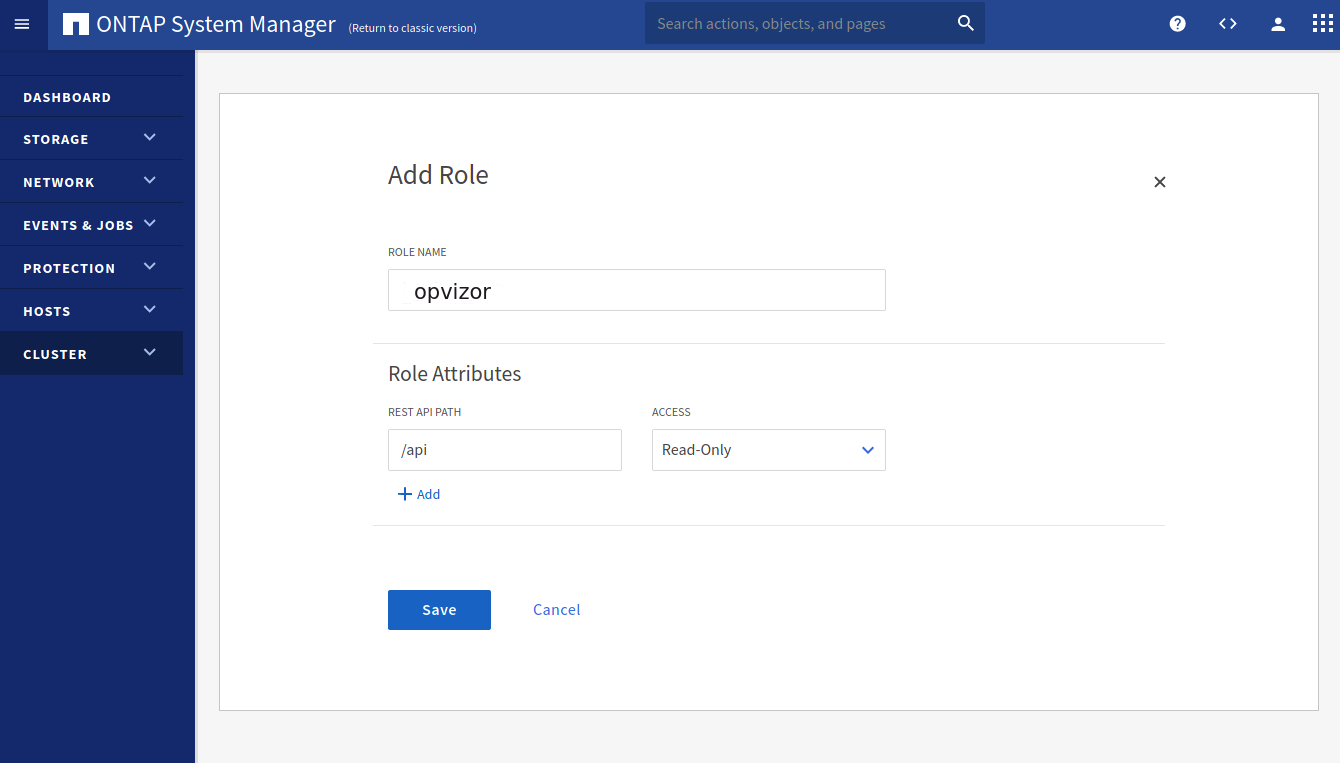
3. Add ReadOnly access to /api
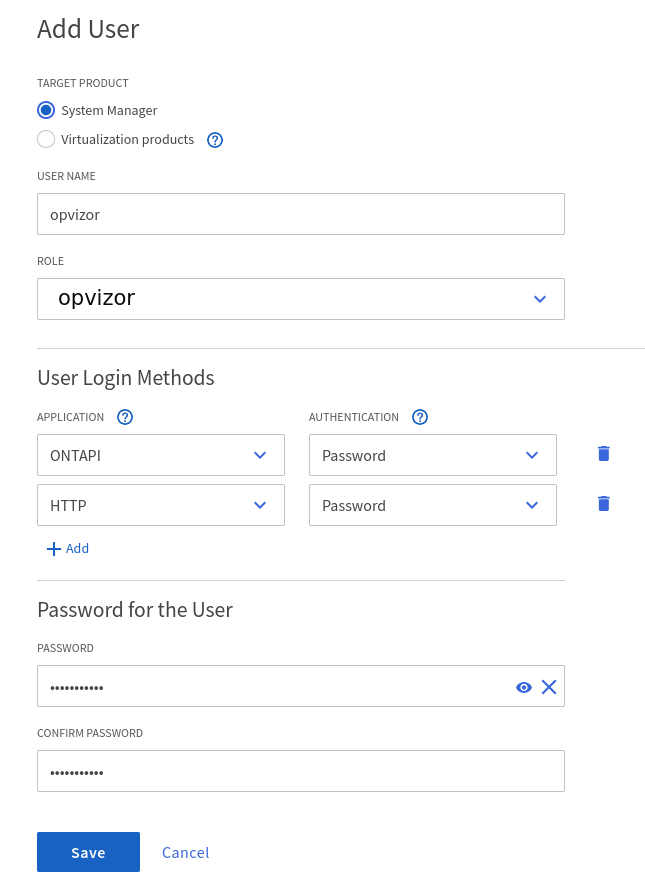
4. Create user
Finally create a new user account and attach the previously created role
Using SSH
1. Login to the NetApp appliance via SSH
2. Copy/Paste the following in your terminal to create a new role with read-only permissions to all objects in question
3. Finally create a new user account and assign the previously created role
7-Mode CLI
Login to the instance using SSH and execute the following ti grant read-only access
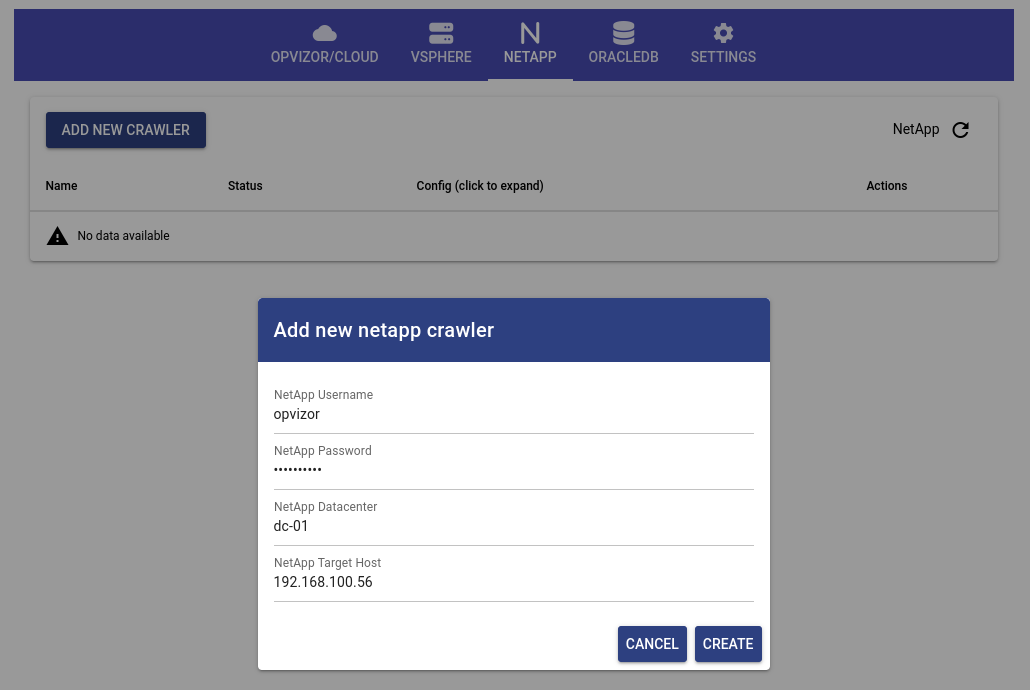
Finalize the NetApp setup by configuring the crawler in the Opvizor/Cloud Connector appliance
Comments
0 comments
Article is closed for comments.