
Using Dashboards
- Click [home] on the top of the right side to open the dashboard menu and select one of the other dashboards:

More dashboards (supplied separately) can be loaded with the [Import] button at the bottom of the list. - If you want to change the time range in the dashboard, click on the Clock symbol in the top-right corner:

You can select a “Quick range”, or you can set an individual time period selecting a “Time range”. Have fun trying out the dashboard!
Changing the Default Dashboard
The default dashboard is the Metrics & Logs First Steps.
If you want to change the default dashboard:
- Click the User icon > Preferences.
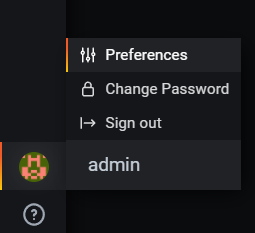
The Profile Dialog appears.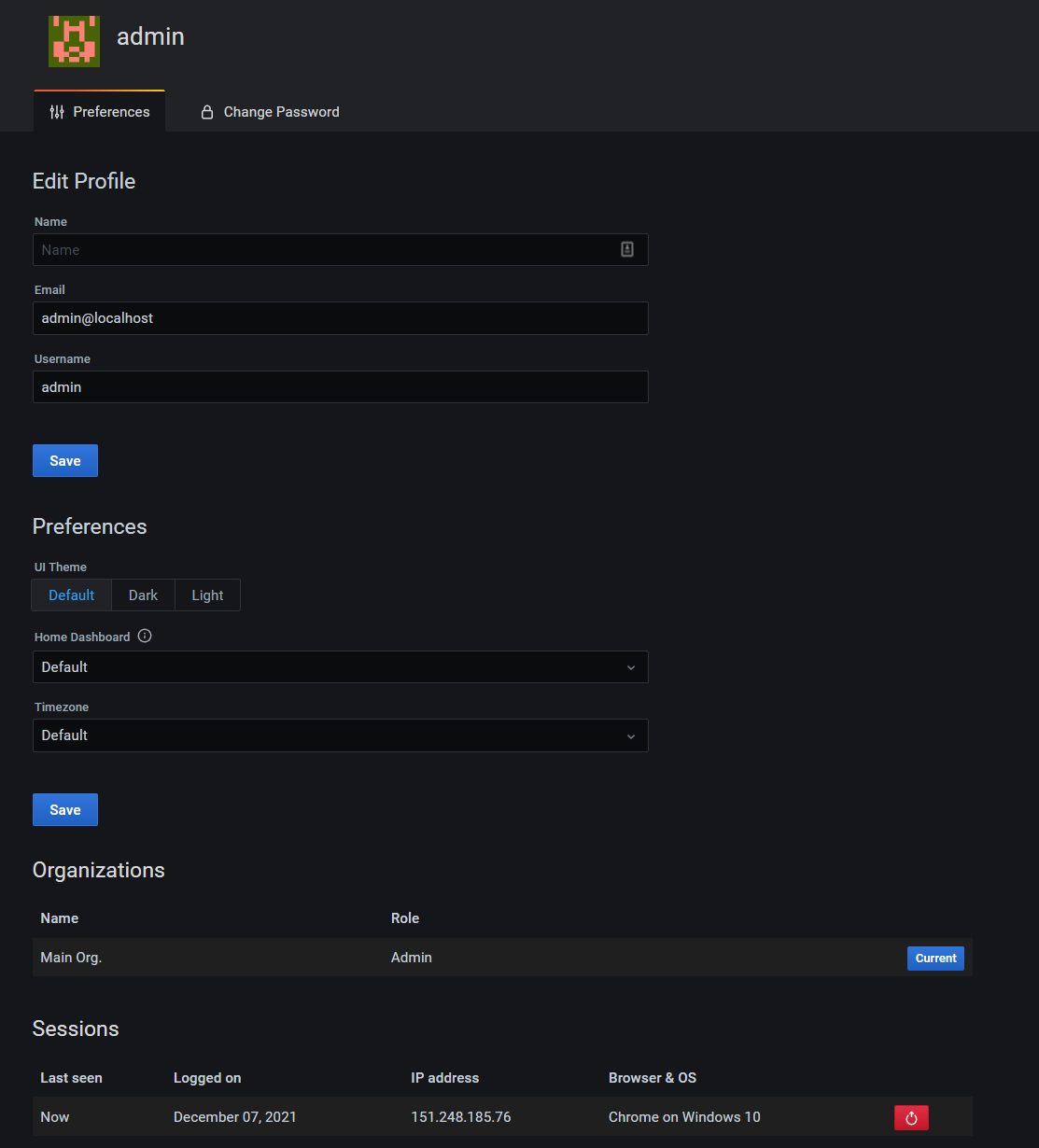
- Under Preferences > Home Dashboard, toggle to the desired dashboard. Tip: You can only selected starred dashboards here.
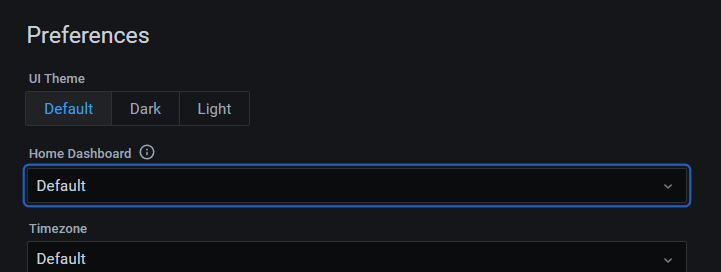
- Click the green Update button.
Comments
0 comments
Article is closed for comments.